A fair share of the clients who ask us for a "custom website" would be better off with WordPress, and we tell them so. Others outgrew WordPress years ago and pay for it every month in plugin licences, updates that break the checkout, and an admin that takes five seconds to open. Which group you belong to has little to do with taste. It depends on what the site has to do and who edits it every week.
What "Custom" Actually Means
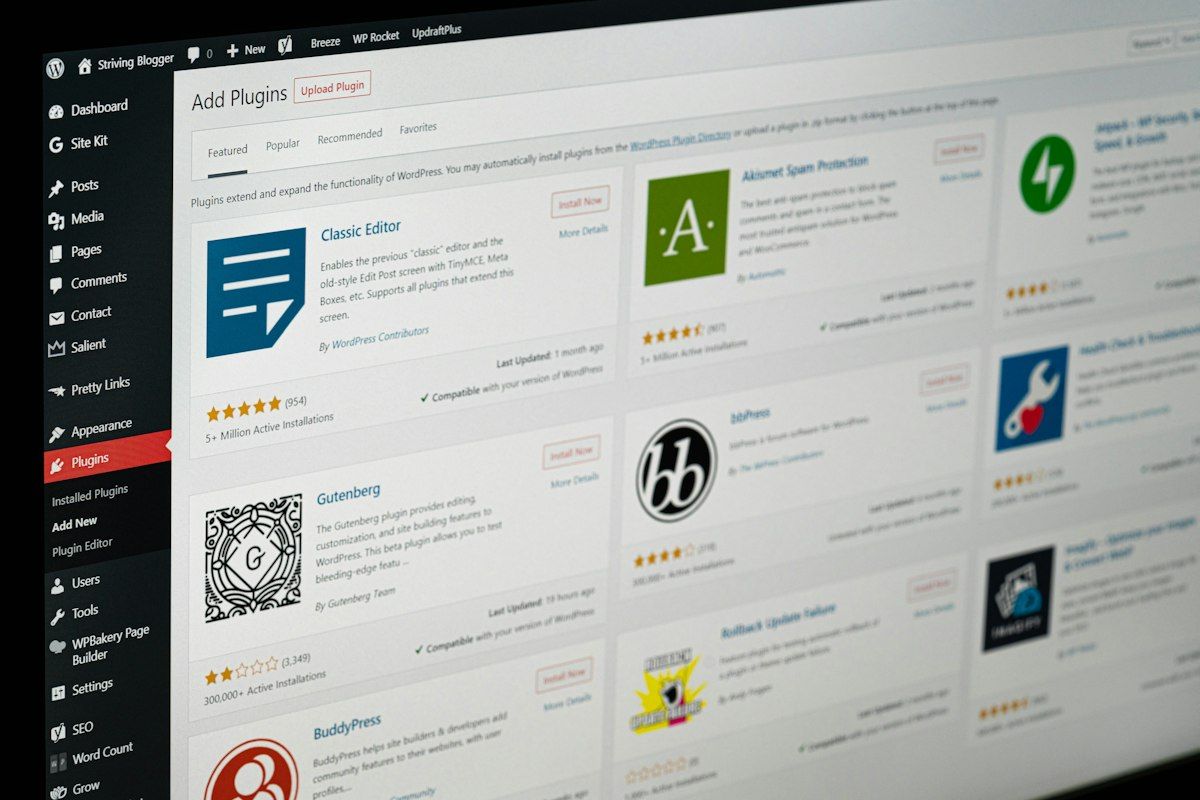
A typical WordPress site is WordPress core plus a theme (Astra, Kadence, GeneratePress, or something from ThemeForest), a page builder such as Elementor or the built-in block editor, and a stack of plugins for SEO, forms, caching, security, and backups. Nobody writes much code. The work is configuration and content.
A custom website is written by developers in a framework. For marketing sites that is often Next.js or Nuxt, and for sites with a lot of business logic it is often Laravel. Content lives either in a database the developers designed, with an admin panel built for it (Filament is popular for Laravel), or in a headless CMS such as Strapi, Payload, Sanity, or Directus. Be careful with the word, though. Some agencies say "custom" when they mean a WordPress theme they designed themselves. That is still WordPress, with all its upsides and maintenance. Ask which one you are getting.
When WordPress Is the Right Answer
WordPress is very good at the job it was built for: publishing content. If your marketing team posts articles, promos, or job openings every week, the editor they already know beats any admin we would build from scratch. The pool of people who can work on it is also huge. Almost every agency in Indonesia can pick up a WordPress site, which matters if your vendor disappears.
Our honest view: for a company profile with a blog, a contact form, and a WhatsApp button, use WordPress with a lightweight theme and keep it under fifteen plugins. The same goes for a small WooCommerce shop with standard checkout and a budget under about Rp30 million. Paying for custom code there buys you very little, and you will need a developer for changes your marketing staff could otherwise make themselves.
When Custom Pays Off
Custom starts to make sense when the website stops being a brochure and starts behaving like an application. A quotation calculator with your own pricing rules, a dealer portal with per-dealer pricing, a member area tied to your CRM, or booking with real business rules. You can force these into WordPress with a dozen plugins and some custom PHP, but you end up maintaining an application anyway, inside a system that was not designed for it.
Integrations push in the same direction. Syncing stock with Accurate or an ERP every few minutes, or sending orders to a warehouse system, is cleaner as code you control than as a plugin built for someone else's setup. So does a strict performance budget, for example landing pages for paid ads where a slow page wastes ad spend, or a promo that gets a traffic spike before Lebaran. And so does scale in languages: WPML or Polylang handle two languages and a hundred pages well enough, but five languages with thousands of product pages and per-market content gets painful fast.
Plugin Sprawl and the Maintenance Bill
WordPress core itself is well maintained and patched quickly. The risk sits in plugins and themes. Security firms such as Patchstack and Wordfence report year after year that the large majority of new WordPress vulnerabilities are in plugins, not in core. Every plugin is code from a different author, with its own update schedule, and some authors simply stop. These are the signs a site has drifted too far:
- More than 25 or 30 active plugins, several doing the same job, such as two SEO plugins or three sliders.
- Plugins that their authors have not updated in over a year.
- Nobody dares to press Update because the last time it broke the contact form or the checkout.
- Premium plugin licences registered to the email of a former employee or the previous agency.
- Hosting that still runs an old PHP version because some plugin breaks on a newer one.
Custom sites need maintenance too. Next.js and Laravel ship major versions, npm packages get security advisories, and the server needs patches. The difference is that the surface is what your developers chose, and nothing installs new code from a stranger at the click of a button. The flip side is real: a custom site built by one freelancer who then vanishes is harder to rescue than any WordPress site, because the next developer has to learn someone else's code first.
Hosting and Speed
WordPress runs on PHP and MySQL, so it fits on cheap shared hosting at Rp50 thousand to Rp200 thousand a month. With a page cache such as LiteSpeed Cache and a light theme it can be fast. Most slow WordPress sites we audit are slow because of the page builder, the plugin count, and third-party scripts, not because of WordPress itself.
A Next.js marketing site can generate pages ahead of time and serve them from a CDN, which is hard to beat for speed. Hosting is cheap or free for small sites on Cloudflare Pages. Vercel is convenient, but its free Hobby plan is for non-commercial use, so a business site belongs on the Pro plan, which is priced per team member per month, or on your own VPS in Jakarta or Singapore. A Laravel site needs PHP hosting or a VPS much like WordPress does. We cover the speed side in more detail in our article on Core Web Vitals.
Headless WordPress as a Middle Path
Headless means keeping WordPress only as the admin and content store, while a separate front end, usually Next.js, fetches content through the REST API or WPGraphQL and renders the public site. Editors keep the screen they know. Visitors get a fast front end. The WordPress admin can live on its own subdomain behind an IP allowlist, which removes most of the public attack surface.
It is not free. You now host and maintain two systems. Page builder layouts made in Elementor do not carry over, so editors work with structured fields instead of dragging blocks around. Live preview, forms, and SEO plugin output all need extra work on the front end. In our experience, headless makes sense for a large content team that also needs app-like features. For a ten-page company profile it gives you the costs of both worlds.
Choose the platform for the person who edits the site every week, not for the person who builds it once.
Total Cost Over Three Years
The build price is the number everyone compares, but over three years it is often less than half the total. The table assumes a company profile of 10 to 15 pages with a blog and contact form, built by an agency or software house. Figures are indicative and vary by vendor and hosting choice.
| Cost item over 3 years | WordPress with a premium theme | Custom (Next.js with a headless CMS) |
|---|---|---|
| Build | Rp15 million to Rp35 million | Rp45 million to Rp100 million |
| Hosting and domain | Rp3 million to Rp9 million | Rp1 million to Rp12 million |
| Theme, plugin, and CMS licences | Rp4 million to Rp10 million | Rp0 to Rp10 million |
| Updates, backups, security monitoring | Rp18 million to Rp54 million | Rp11 million to Rp36 million |
| Total | Rp40 million to Rp108 million | Rp57 million to Rp158 million |
For a plain company profile, WordPress is usually cheaper over three years, and that is the honest result. The gap closes once the site needs features. On WordPress every new feature becomes another plugin or a piece of custom PHP that someone has to maintain, while on a custom build it was always going to be code. Maintenance on the custom side tends to be lower because there are fewer moving parts, but any change to the content structure needs a developer.
Moving Between Them Without Losing Search Traffic
- 1Crawl the current site with Screaming Frog, which is free up to 500 URLs, and export the top pages from Search Console for the last 12 months.
- 2Keep URLs identical wherever you can. If WordPress used /blog/post-name/ or dated paths, consider keeping the same pattern on the new site.
- 3Map every URL that does change to its closest new page with a 301 redirect, one to one. Do not send everything to the homepage.
- 4Carry over page titles, meta descriptions, headings, image alt text, canonical tags, structured data, and hreflang if the site is multilingual.
- 5Move media files and update internal links in the content, so articles do not point at old addresses through a chain of redirects.
- 6Build on a staging domain with noindex, test all redirects with a script, then make sure noindex is removed on production. Forgetting this is a classic mistake.
- 7After launch, submit the new sitemap in Search Console and watch the Pages report and 404 errors for four to eight weeks. Some ranking movement in the first weeks is normal.
We build both at Salamun Teknologi. For content-heavy sites we usually recommend WordPress and keep the plugin list short, and for portals and sites with real business logic we use Next.js or Laravel. If you already run WordPress and are unsure, an audit of the plugins and hosting is a cheaper first step than a rebuild, and often enough on its own.
Key takeaways
- WordPress is the right choice for content-heavy sites, frequent editing by marketing, small budgets, and standard features.
- Custom pays off when the site carries application logic, deep integrations, a strict performance budget, or many languages at scale.
- Most WordPress security issues come from plugins, so keep the list short and owned by someone who updates it.
- Headless WordPress gives editors their familiar admin and visitors a fast front end, at the cost of running two systems.
- Compare total cost over three years, and protect search traffic in any migration with one-to-one 301 redirects and unchanged URLs where possible.